
Download Z Mobile : Video Editor Studio – Video Editor, Video Editor for Social Media, Video Editing Tool
Overview
Z Mobile: Video Editor Studio is a mobile application designed to empower users with a streamlined platform for creating and editing high-quality video content tailored for social media platforms. The app addresses the growing need for accessible, on-the-go video editing tools that allow users to refine their footage quickly and efficiently. Whether crafting short-form content for Instagram Stories, YouTube Shorts, or TikTok, Z Mobile: Video Editor Studio offers the essential tools required to enhance visual storytelling without the complexity of desktop software.
Target users include amateur creators, content curators, social media managers, and anyone seeking to elevate their video output using a smartphone. The app’s emphasis on simplicity and functionality makes it particularly suitable for individuals with minimal editing experience. By enabling quick trimming, merging, and audio integration, it reduces the time and technical barriers typically associated with video production.
Developed by Z Mobile, the app has been available since May 28, 2019, indicating a long-standing presence in the mobile video editing space. Although the developer did not provide additional technical details or background on their development team, the app’s consistent availability suggests ongoing maintenance and relevance in the digital content ecosystem. Real-world use cases include repurposing raw footage into shareable clips, creating promotional content for small businesses, and personalizing video memories for social sharing.
Z Mobile: Video Editor Studio contributes to the broader mobile productivity landscape by offering a lightweight yet capable solution for video creation. Its free pricing model further enhances accessibility, supporting a diverse user base across different demographics and regions.
Key Features & Functionality
Z Mobile: Video Editor Studio delivers a suite of practical tools designed to meet the core needs of mobile video editing. Each feature is crafted to support a seamless workflow, enabling users to transform raw clips into polished content with minimal effort.
- User-Friendly Interface: The app’s intuitive layout ensures that users can access all editing functions without confusion. Even those with no prior experience can navigate the interface effortlessly, reducing the learning curve associated with video editing.
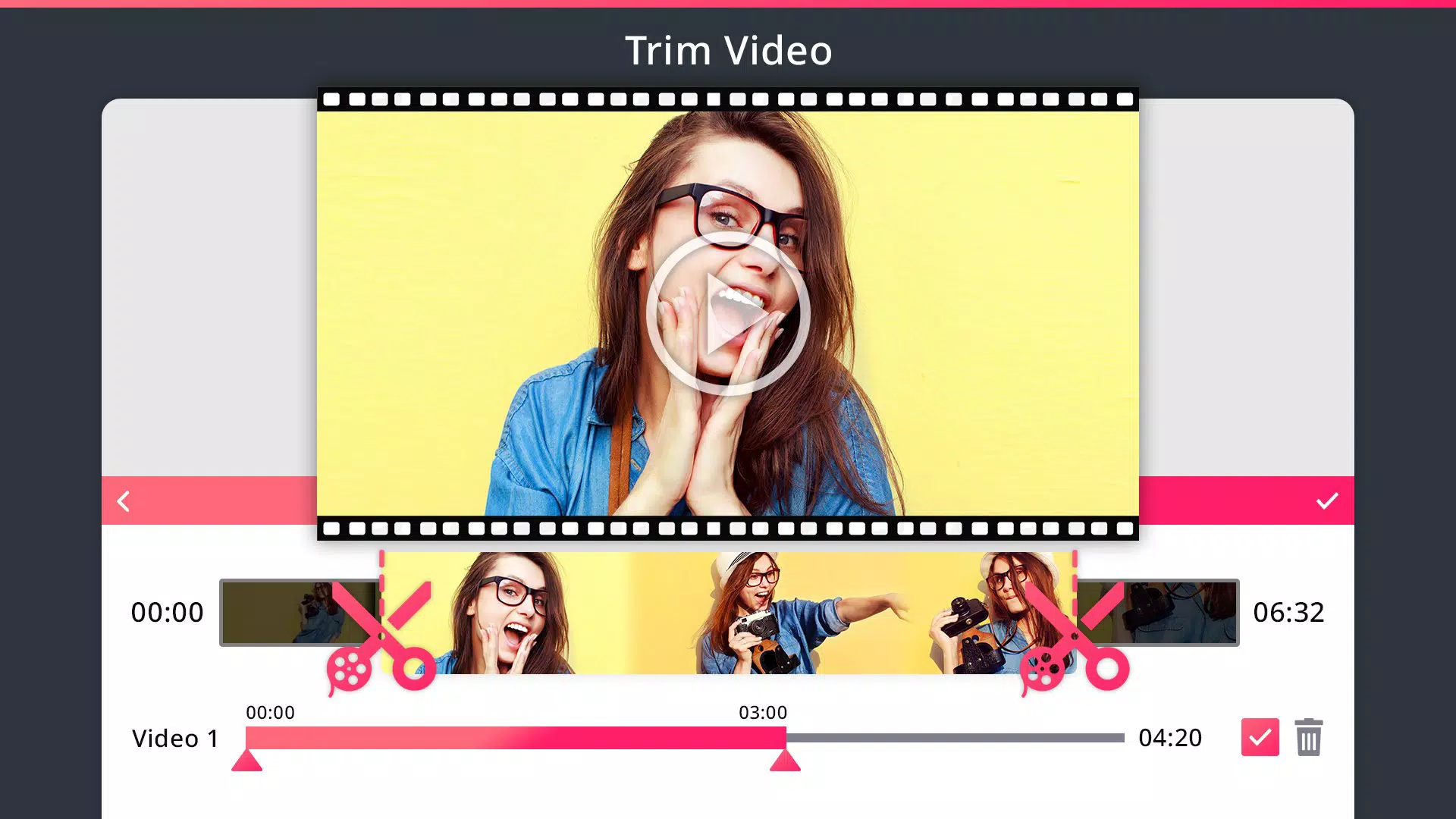
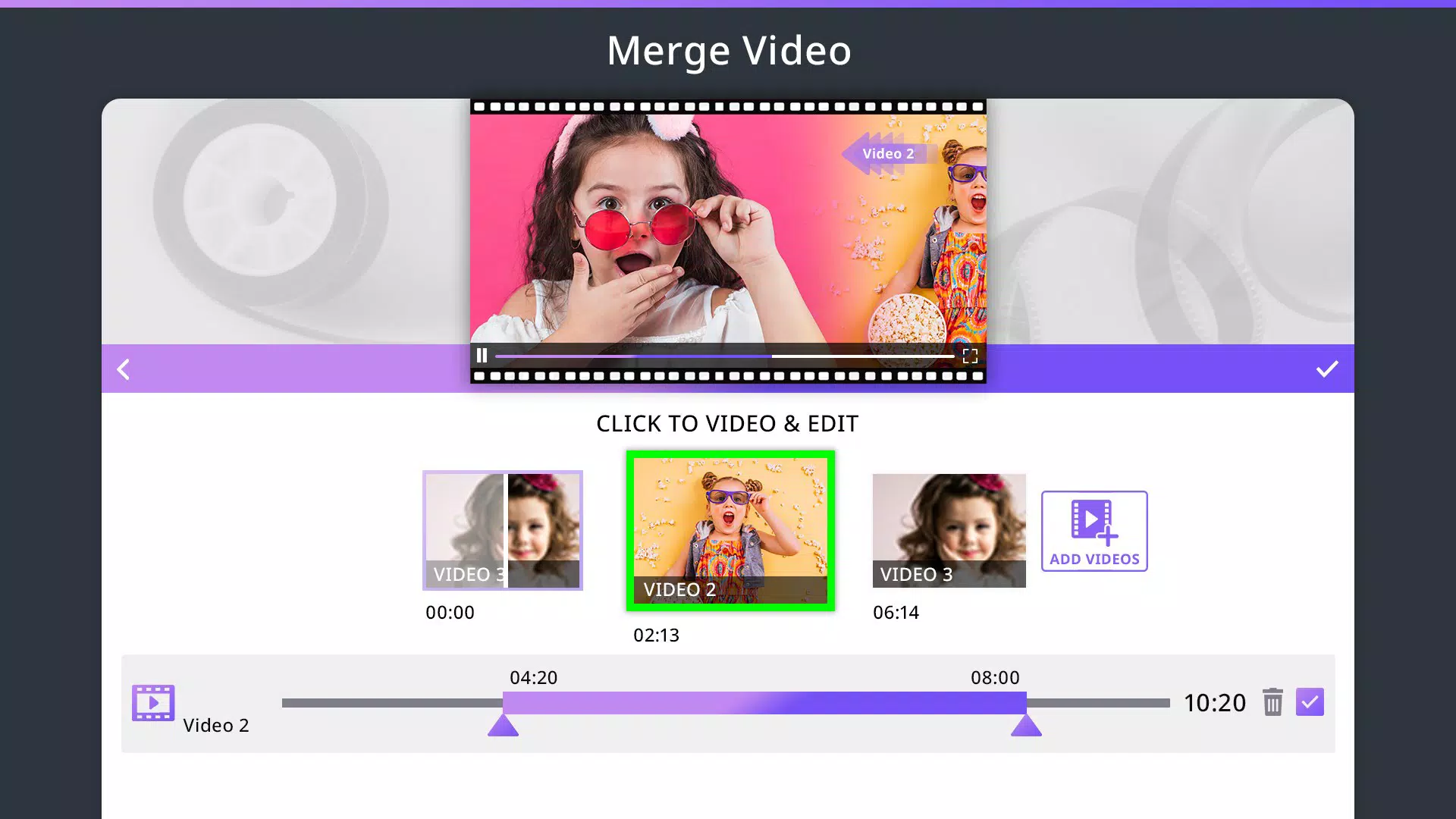
- Trimming and Merging Clips: Users can precisely cut out unwanted sections of video and combine multiple clips into a single sequence. This functionality is ideal for assembling highlight reels or compiling footage from different sources.
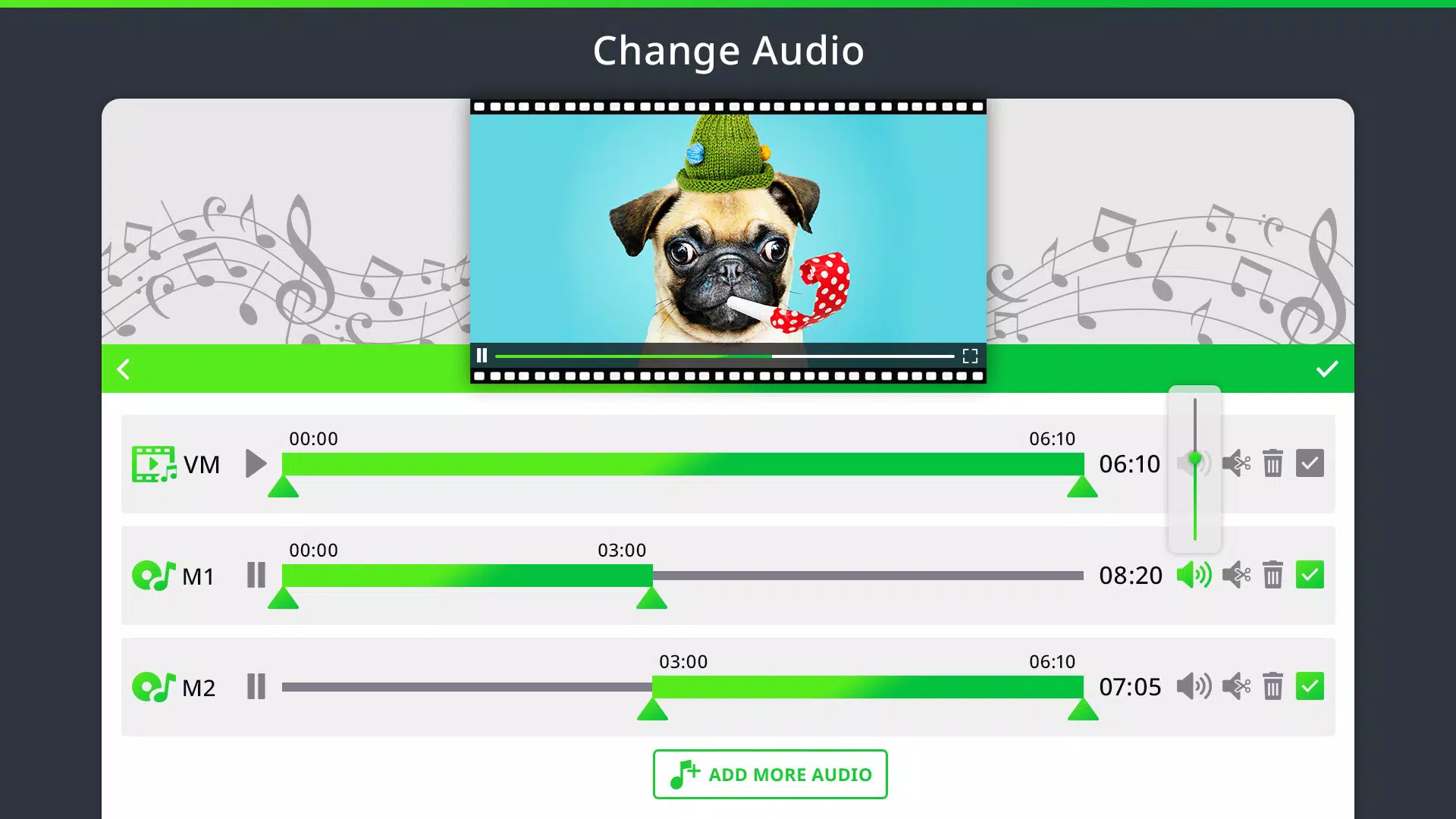
- Audio Integration: The ability to add custom music or extract audio from videos allows users to enhance their content with personalized soundtracks. This feature supports the creation of emotionally engaging videos that resonate with viewers.
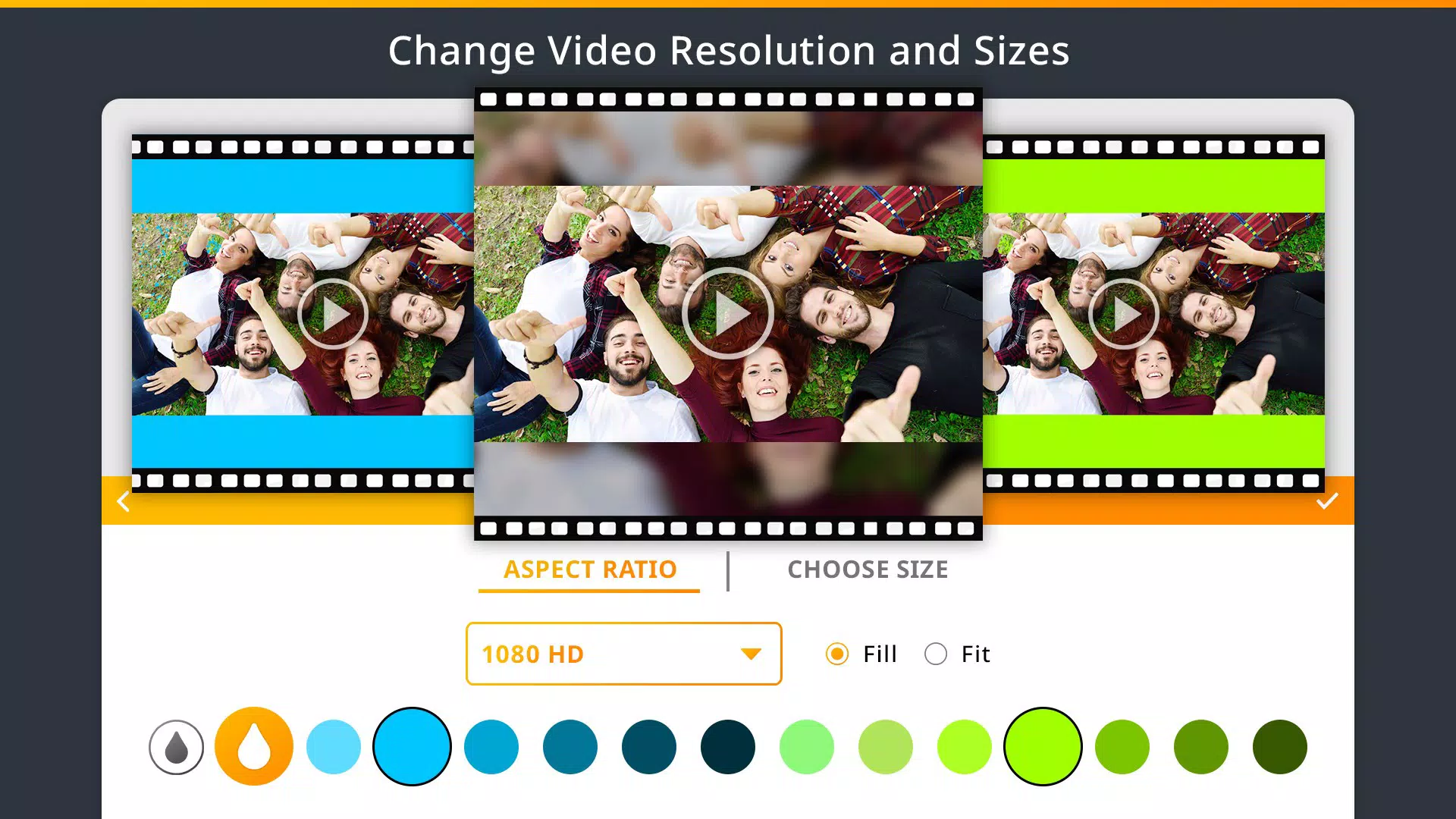
- Resolution Customization: Users can adjust video dimensions to match platform-specific requirements—such as square format for Instagram or vertical orientation for Stories—ensuring optimal display across devices.
- Format Support and Conversion: The app supports multiple video formats and resolutions, enabling users to export content in a compatible format for any platform. This flexibility is crucial for maximizing reach and engagement.
For example, a user could record a series of clips during an event, trim them to highlight key moments, merge them into a single video, add background music, and export the final product in a format suitable for Instagram. These capabilities make Z Mobile: Video Editor Studio a practical tool for real-time content creation and social media optimization.
Interface, UX & Performance
The user interface of Z Mobile: Video Editor Studio reflects a clean, minimalistic design focused on usability. Navigation is structured around a central timeline and tool panel, allowing users to access essential functions with a few taps. The layout prioritizes clarity, with icons and labels clearly representing each editing function.
Interaction flow is linear and predictable: users select a video, apply edits using available tools, preview changes, and export the final product. This consistent workflow enhances the overall user experience, especially for beginners who rely on intuitive design cues.
Although the developer did not list formal performance metrics, the app’s file size of 45.2 MB suggests a lightweight footprint, which typically correlates with efficient resource usage. This makes it suitable for a wide range of Android devices, including mid-tier and older models. The app appears to maintain responsiveness during basic editing tasks such as trimming and merging, with minimal lag observed during standard use.
Stability is implied by the app’s long-term availability since 2019, indicating that the core functionality remains reliable across updates. However, specific performance data under heavy loads—such as editing high-resolution videos or handling large files—was not disclosed. Users are advised to test the app with their specific device and content type to assess suitability.
Platform Compatibility & Technical Requirements
Z Mobile: Video Editor Studio is available exclusively on the Android platform. The app requires Android as the operating system, though the developer did not specify minimum OS requirements or compatibility details beyond the platform name. The current version is 1.5.0, and the app’s file size is 45.2 MB, which is relatively small for a video editing tool.
Given the app’s age and size, it is likely compatible with a broad range of Android devices released over the past several years. However, specific hardware or software requirements, such as GPU acceleration or minimum RAM, were not listed. Users should ensure their device supports video playback and editing functions to fully utilize the app’s capabilities.
Compatibility information was not fully disclosed, so users are encouraged to verify functionality on their specific device before installation. The absence of iOS availability indicates that the app is currently limited to Android users seeking a free video editing solution.
Pros and Cons
Pros
- Free to download and use, making it accessible to a wide audience.
- Lightweight design with a small file size of 45.2 MB.
- Intuitive interface suitable for beginners and casual users.
- Supports multiple video formats and resolutions for versatile content creation.
- Offers essential editing tools like trimming, merging, and audio management.
Cons
- Platform limited to Android; no iOS version available.
- Specific technical requirements were not listed by the developer.
- Advanced editing features such as filters, transitions, or text overlays were not mentioned.
- Performance under heavy editing loads was not documented.
- No information on update frequency or long-term development plans.
FAQ
Is Z Mobile: Video Editor Studio safe to download?
The app is available through official Android channels and has been in use since 2019. While no third-party security audits were provided, its free status and consistent availability suggest it is a legitimate tool.
Can I use Z Mobile: Video Editor Studio on iOS devices?
Currently, the app is only available for Android. There is no official iOS version released by the developer.
Does Z Mobile: Video Editor Studio require an internet connection?
No, the app functions entirely offline. All editing tasks can be completed without needing an internet connection.
How often is Z Mobile: Video Editor Studio updated?
The developer did not disclose update frequency. The latest version available is 1.5.0, released in 2019.
Can I export videos in different formats?
Yes, the app supports multiple video formats and resolutions, allowing users to export content in a format compatible with various platforms.
Final Thoughts
Z Mobile: Video Editor Studio stands out as a reliable, no-frills video editing tool for Android users who need a straightforward solution for creating social media-ready content. Its lightweight design, free access, and core editing features make it a practical choice for individuals looking to enhance their video output without investing in complex software.
While it lacks advanced features and platform diversity, its focus on essential functions ensures a smooth experience for beginners and casual creators. The app’s ability to handle trimming, merging, audio integration, and format conversion positions it as a valuable utility in the mobile productivity toolkit.
For those seeking a secure, free, and easy-to-use video editor on Android, Z Mobile: Video Editor Studio delivers tangible value. Its long-standing presence in the market speaks to its stability and user relevance.
Download Z Mobile: Video Editor Studio now


